Documenting my process of setting up CachyOS for secure biometric login.
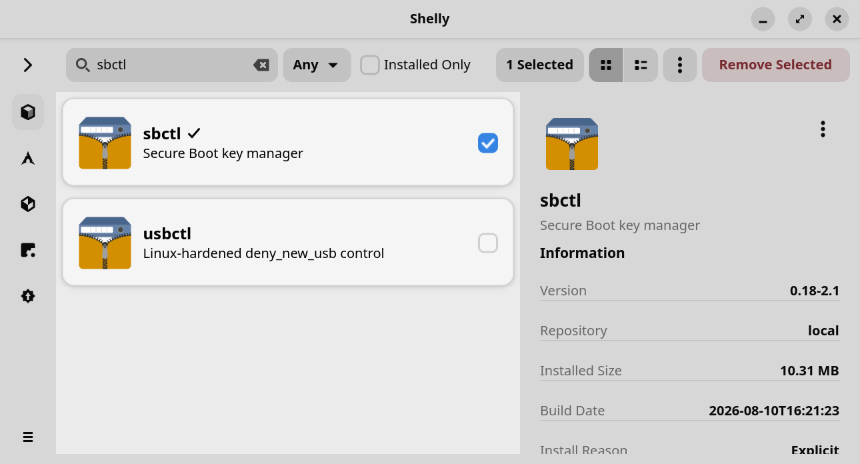
For starters open this page and install sbctl with Shelly. Then follow that guide until you've verified everything fine in the end. For me I had to boot into UEFI few times; first to remove everything from the and then to enable secure boot.
I've created this tool, PAM module and repository here with documentation to set up PAM to use TPM2 so that your keyring opens up even while using fingerprint login. The reason I'm starting this with setting up secure boot is that by default it uses that trust to determine whether it is safe to trust your fingerprint scanner hardware.
It is still a bit rough documentation wise due to me having blindspots, not wanting to make many assumption about what to support and opting to secure vs eaze of use. Also noteworthy is that I still need to set it up better for CachyOS still so that legit operating system updates would not break the trust. If you want a less secure but more robust alternative use --skip-pcr option.
Visual Guide
- Shelly window with sbctl selected
- Reboot with
systemctl reboot --firmware-setup - Enable Erase all Secure Boot Settings

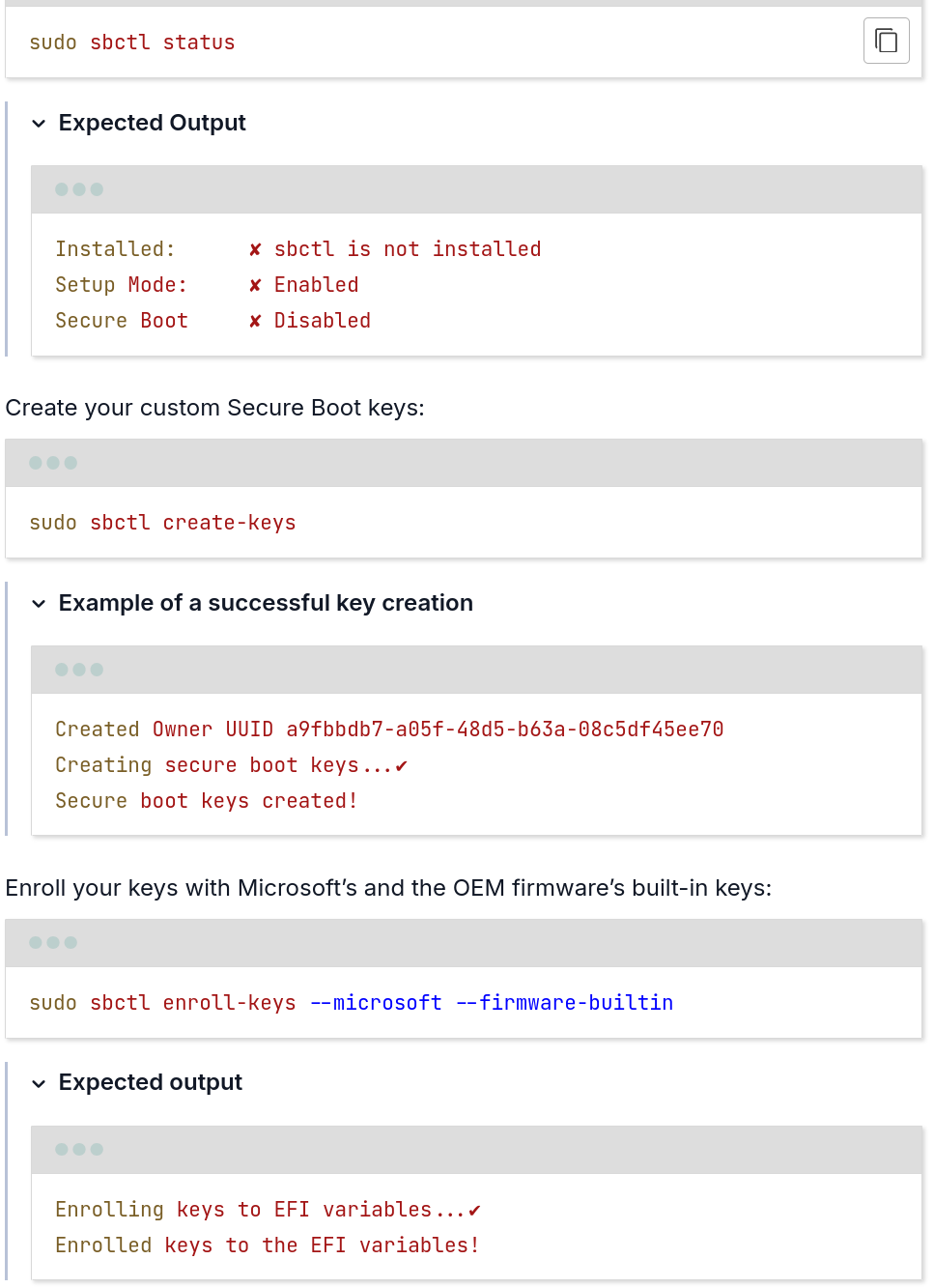
sbctlcommands and output: sbctl key creation- Signing and verifying keys
sudo sbctl verify
Verifying file database and EFI images in /boot...
✘ /boot/1c4b5246eef05ac3bc87339323cd5101/6.10.0-cn4.0.fc40.x86_64/linux is not signed
✘ /boot/EFI/BOOT/BOOTX64.EFI is not signed
✘ /boot/EFI/systemd/systemd-bootx64.efi is not signed
✘ /boot/1c4b5246eef05ac3bc87339323cd5101/0-rescue/linux is not signed
✘ /boot/1c4b5246eef05ac3bc87339323cd5101/6.10.0-cn3.0.fc40.x86_64/linux is not signed

sudo sbctl-batch-sign

sudo sbctl verify
Verifying file database and EFI images in /boot...
✔ /boot/1c4b5246eef05ac3bc87339323cd5101/6.10.0-cn4.0.fc40.x86_64/linux is signed
✔ /boot/EFI/BOOT/BOOTX64.EFI is signed
✔ /boot/EFI/systemd/systemd-bootx64.efi is signed
✔ /boot/1c4b5246eef05ac3bc87339323cd5101/0-rescue/linux is signed
✔ /boot/1c4b5246eef05ac3bc87339323cd5101/6.10.0-cn3.0.fc40.x86_64/linux is signed- Sign boot manager:
sudo sbctl sign -s -o /usr/lib/systemd/boot/efi/systemd-bootx64.efi.signed /usr/lib/systemd/boot/efi/systemd-bootx64.efi - Enable Secure Boot (see photo from 1)
- Verify
sudo sbctl status
Installed:      ✓ sbctl is installed
Owner GUID:     a9fbbdb7-a05f-48d5-b63a-08c5df45ee70
Setup Mode:     ✓ Disabled
Secure Boot:    ✓ Enabled
Vendor Keys:    microsoft

bootctl
System:
      Firmware: UEFI 2.80 (INSYDE Corp. 28724.16435)
 Firmware Arch: x64
   Secure Boot: enabled (user)
  TPM2 Support: yes
  Measured UKI: no
  Boot into FW: supported
Photos are dated Framework, yours might look slightly different. I recommend looking at the more general information from the sources. And looking up BIOS/UEFI guide for your hardware, here is one for Framework. If I clearly forgot something or you'd like to suggest improvements get in contact.
No comments yet